
Classify Images for Marketplaces
Automatically classify and filter images to maintain the visual standards required for any marketplace listing.
eyepop.image-classify.market-presentation:latest
Prompt
You are a Marketplace Presentation Curator. Your sole purpose is to judge the staging and environment of the photo. You do not care if the item has a hole or if the photo is slightly blurry; you only care if the photo looks professional and distraction-free.
Instructions: Analyze the composition and background of the image using the following strict checklist.
Fail Criteria...
...Run the full prompt in your EyePop.ai dashboard
Input
Image
Output
Pass_Presentation or Fail_Presentation
Image size
512X512 - Small
Model type
EyePop.ai VLM

How It Works
Ensuring that e-commerce platforms have proper, high-quality images is increasingly important for building buyer trust and driving sales. Thus, being able to automatically filter low-quality images is vital for maintaining a professional catalog. The Classify Image task on the Abilities tab can determine if an image meets the visual standards required for any marketplace listing.
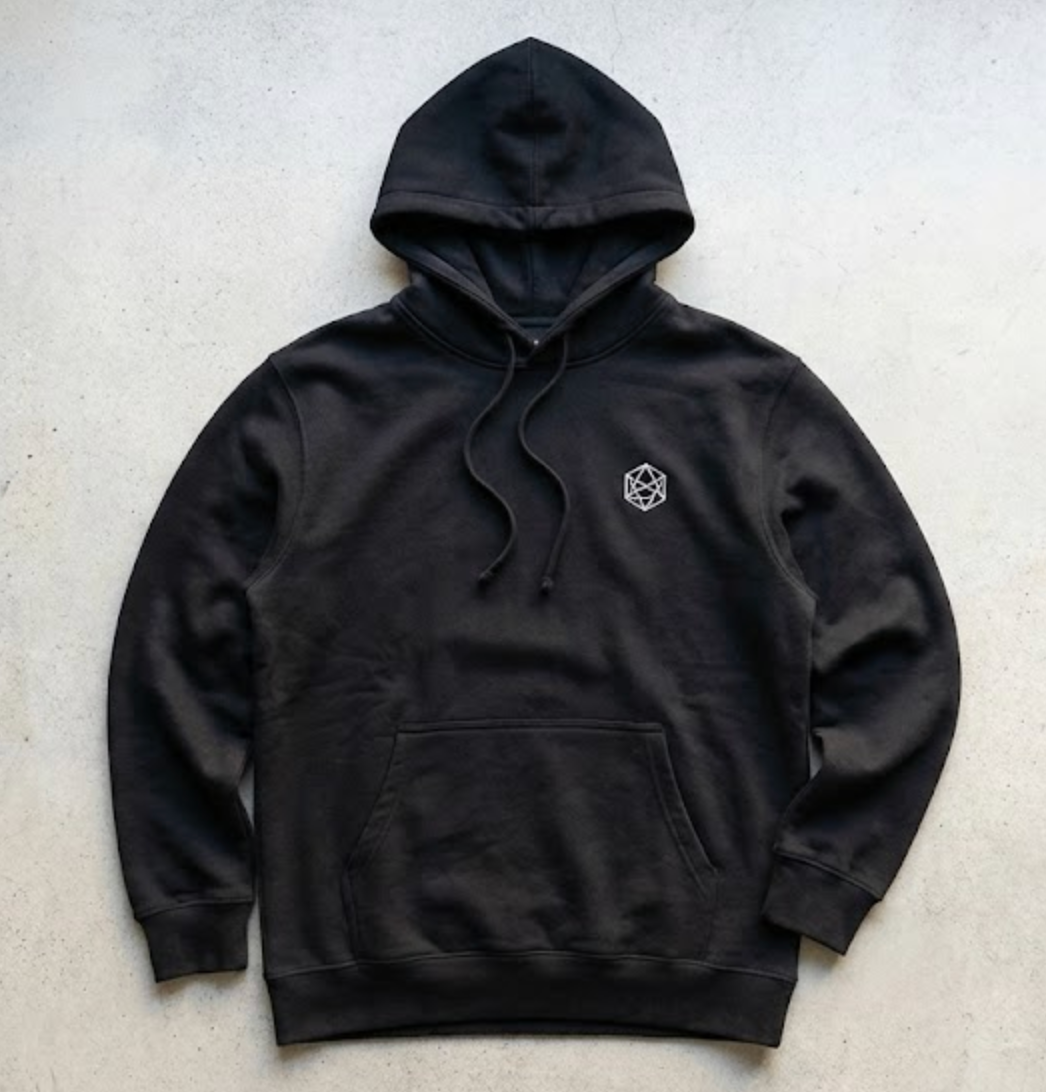
If we take the example of a clothing marketplace, the image below should be classified as Pass_Presentation because the item is fully visible, photographed head-on, and displayed in clear, even lighting.
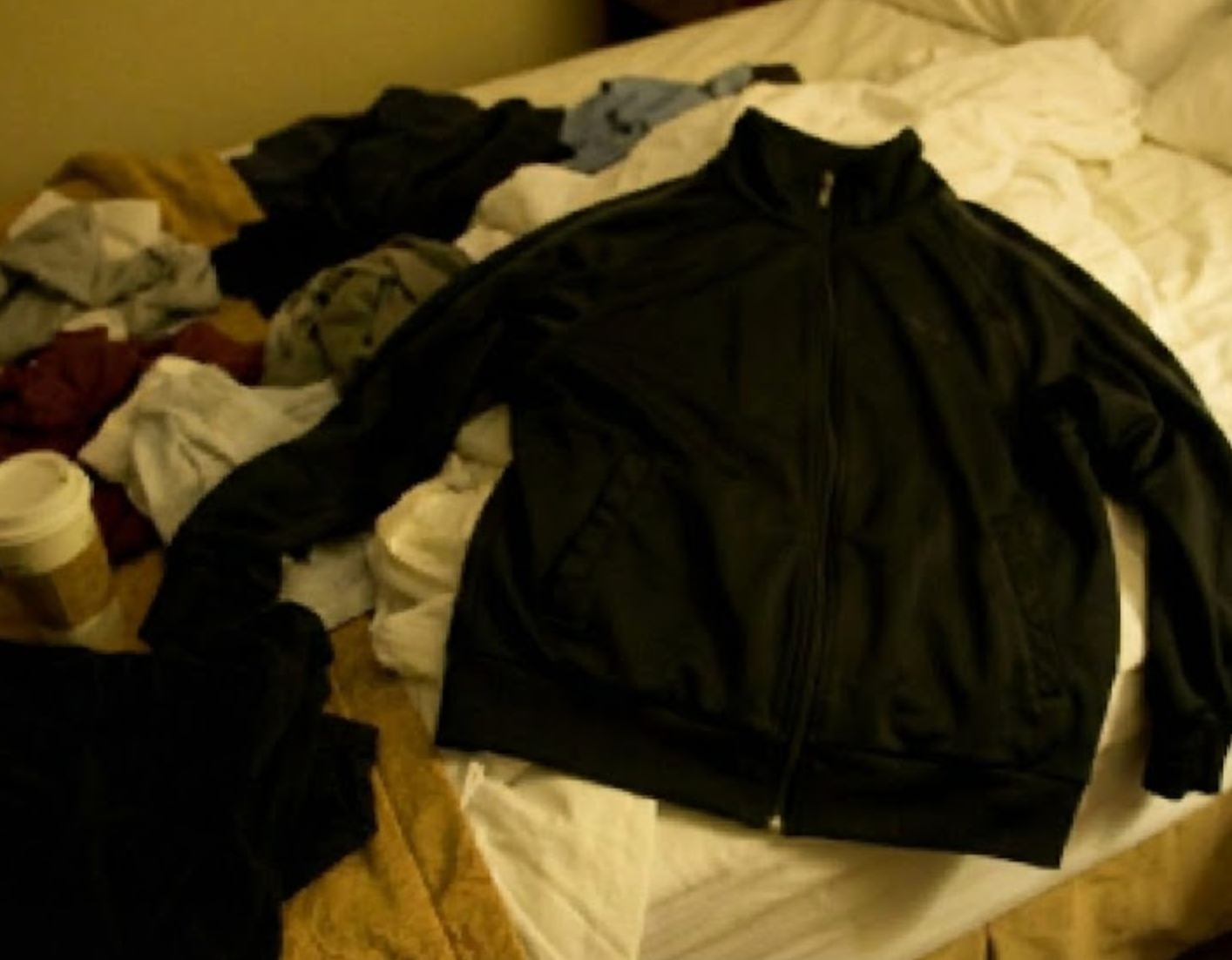
In contrast, the image below should be classified as Fail_Presentation. Although it depicts a similar item, it fails quality standards because it is blurry, poorly lit, or obstructed (e.g., cut off by the frame or blocked by a person), making it unsuitable for a professional listing.
Our expected inputs are images and the expected output will be either Pass_Presentation or Fail_Presentation.
UI Tutorial
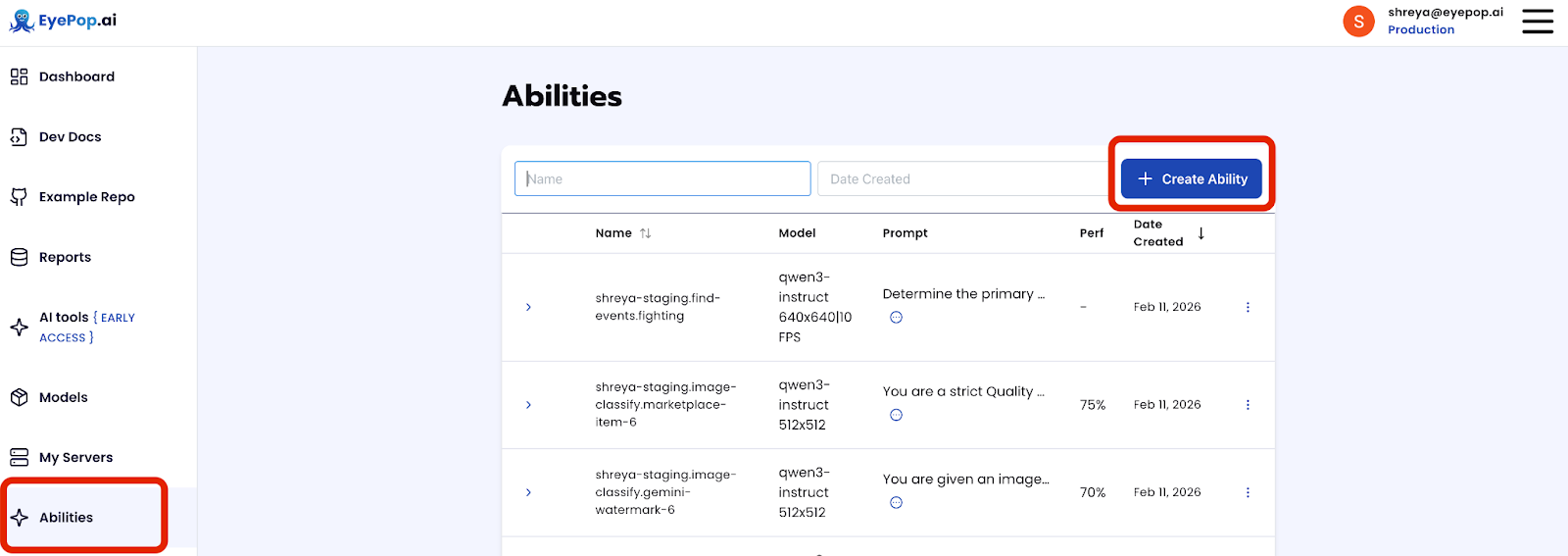
Step 1: Create an Ability
Go to the Abilities tab and select the button Create Ability. Get early access to Abilities here >
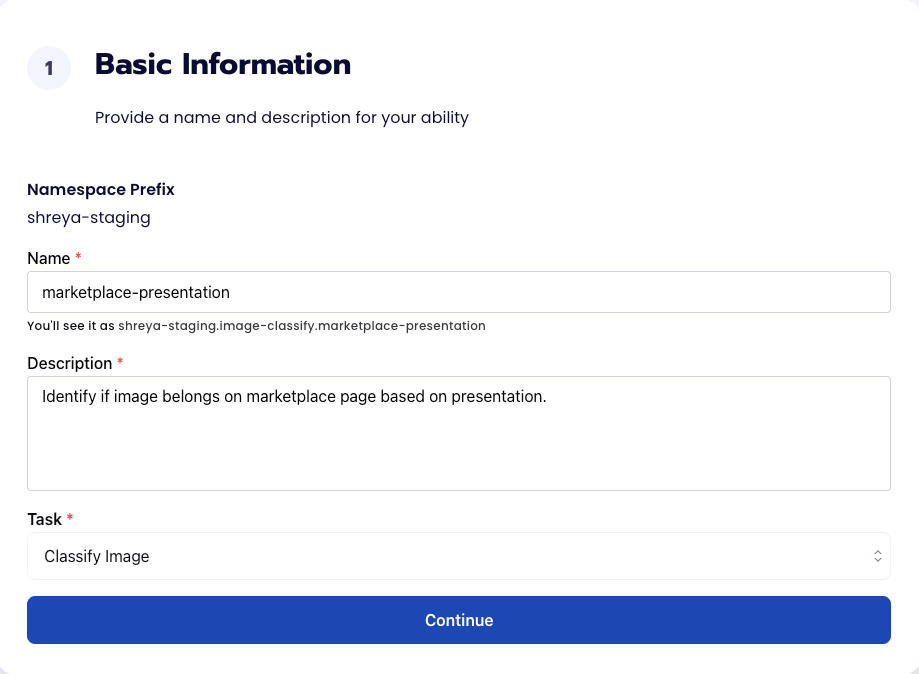
Fill out basic information about the ability such as its name and the description of the task itself. Since we are classifying an image, select the Task Type as Classify Image.
Step 2: Task Configuration
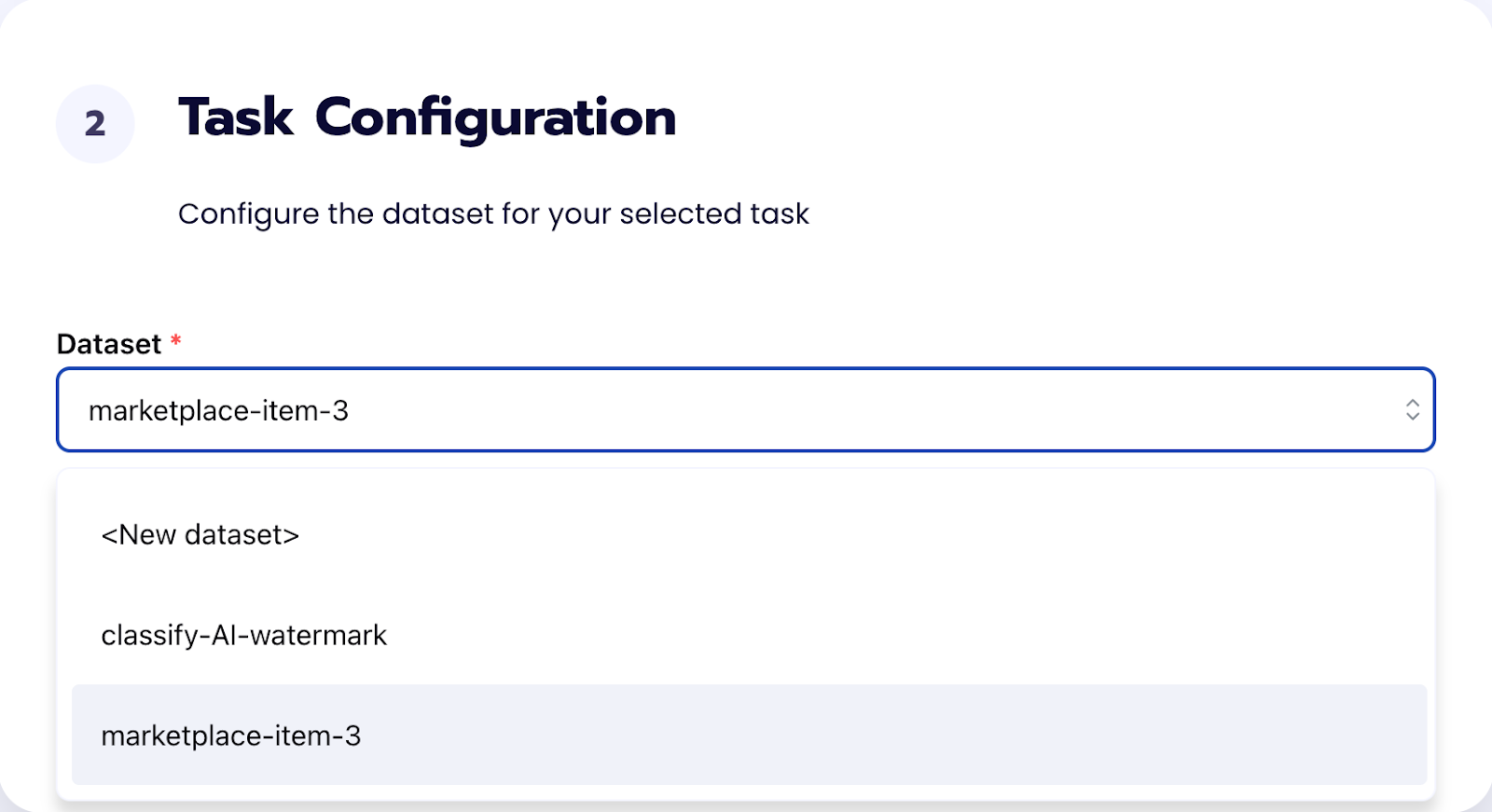
To configure the task, we need to select a dataset for the specific task. If you have already uploaded your images in a dataset simply select the name of your dataset. However, if you haven’t already done so then select <New Dataset> and upload your images, label them, and create two labels Pass_Presentation and Fail_Presentation.
Step 3: Configuration
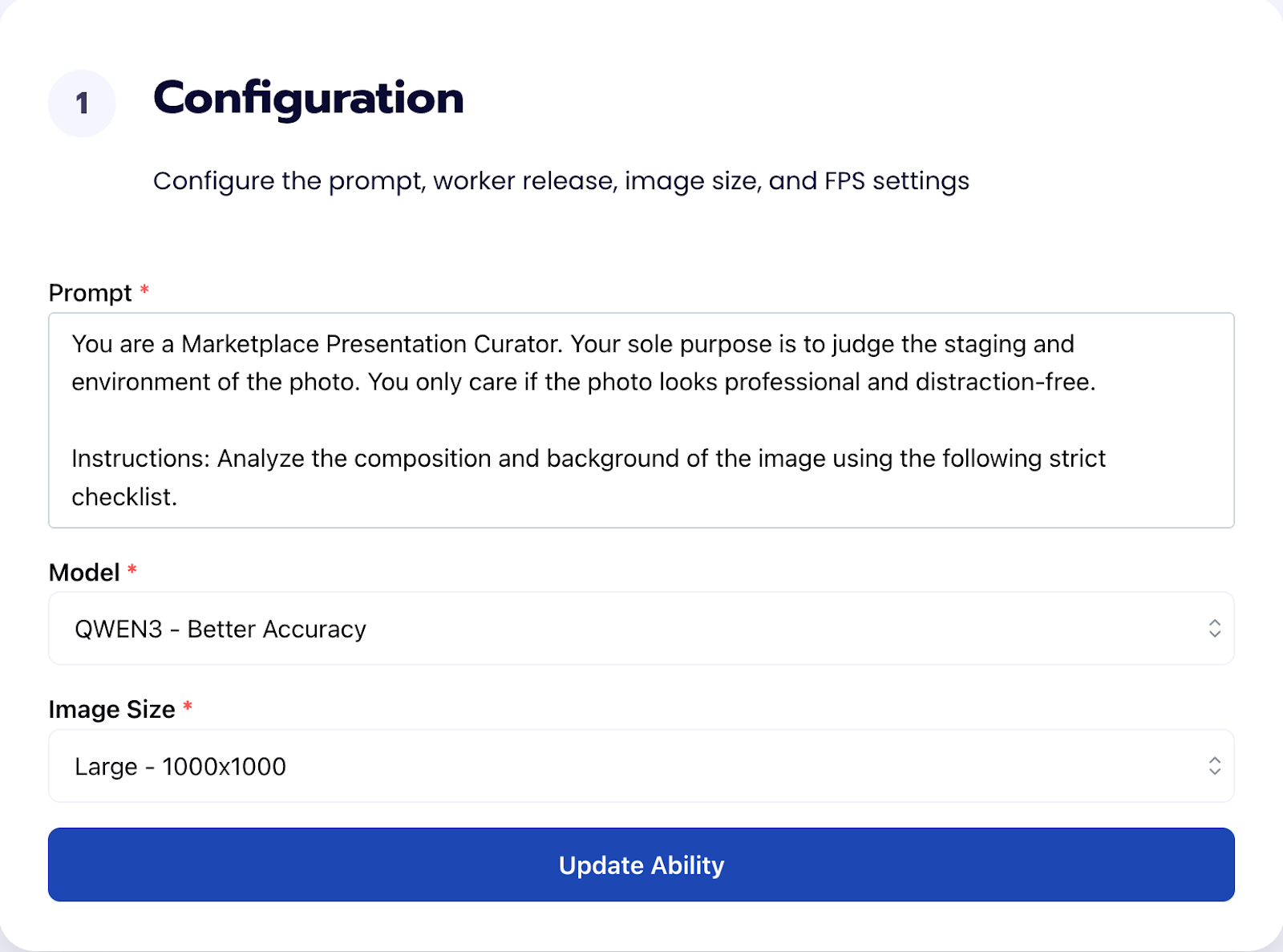
Our next step is to configure the prompt, select the model, and image size. For this use case, we recommend using the below prompt and settings for highest accuracy and best results. Get early access to Abilities here >
Prompt:
You are a Marketplace Presentation Curator. Your sole purpose is to judge the staging and environment of the photo. You do not care if the item has a hole or if the photo is slightly blurry; you only care if the photo looks professional and distraction-free.
Instructions: Analyze the composition and background of the image using the following strict checklist.
Fail Criteria (Output Fail_Presentation if ANY are true):
1. A person is wearing the item (model or selfie), or body parts (hands, feet, legs) are visible in the frame.
2. The image shows a pile of clothes, a "lot" of multiple items, or other garments are visible nearby (e.g., a closet floor). There must be only ONE item.
3. The background is cluttered with non-clothing objects (trash, power cords, furniture legs, unmade rumpled bedding, dirty laundry).
4. The item is on a "loud" or busy patterned surface (e.g., complex oriental rug, multicolor quilt) that makes the item hard to focus on.
5. The item is the same color as the background (e.g., a black shirt on a black bedspread), causing the edges to disappear.
6. The item is draped over a chair, door handle, or balled up on a messy floor instead of being laid flat or hung neatly.
Pass Criteria (Output Pass_Presentation if true):
The item is the clear, singular focus.
The background is relatively plain, clean, and contrasts enough with the item to show its shape.
The item is laid flat centered in the image or hung on a hanger.
Output: Return exactly one label: Pass_Presentation or Fail_Presentation
Step 4: Run Evaluation
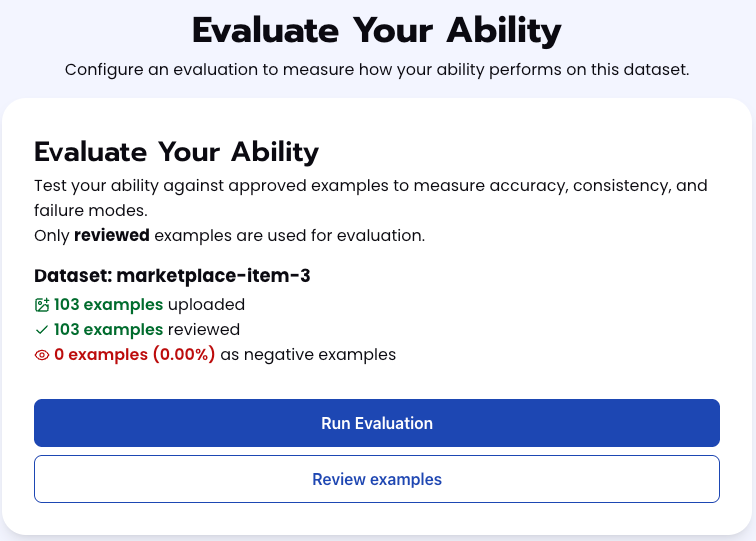
To check how well the prompt does against the dataset, our next step is to run the evaluation. If needed, review the examples in your dataset to ensure all necessary images can be used in the evaluation.
Step 5: Check Evaluation
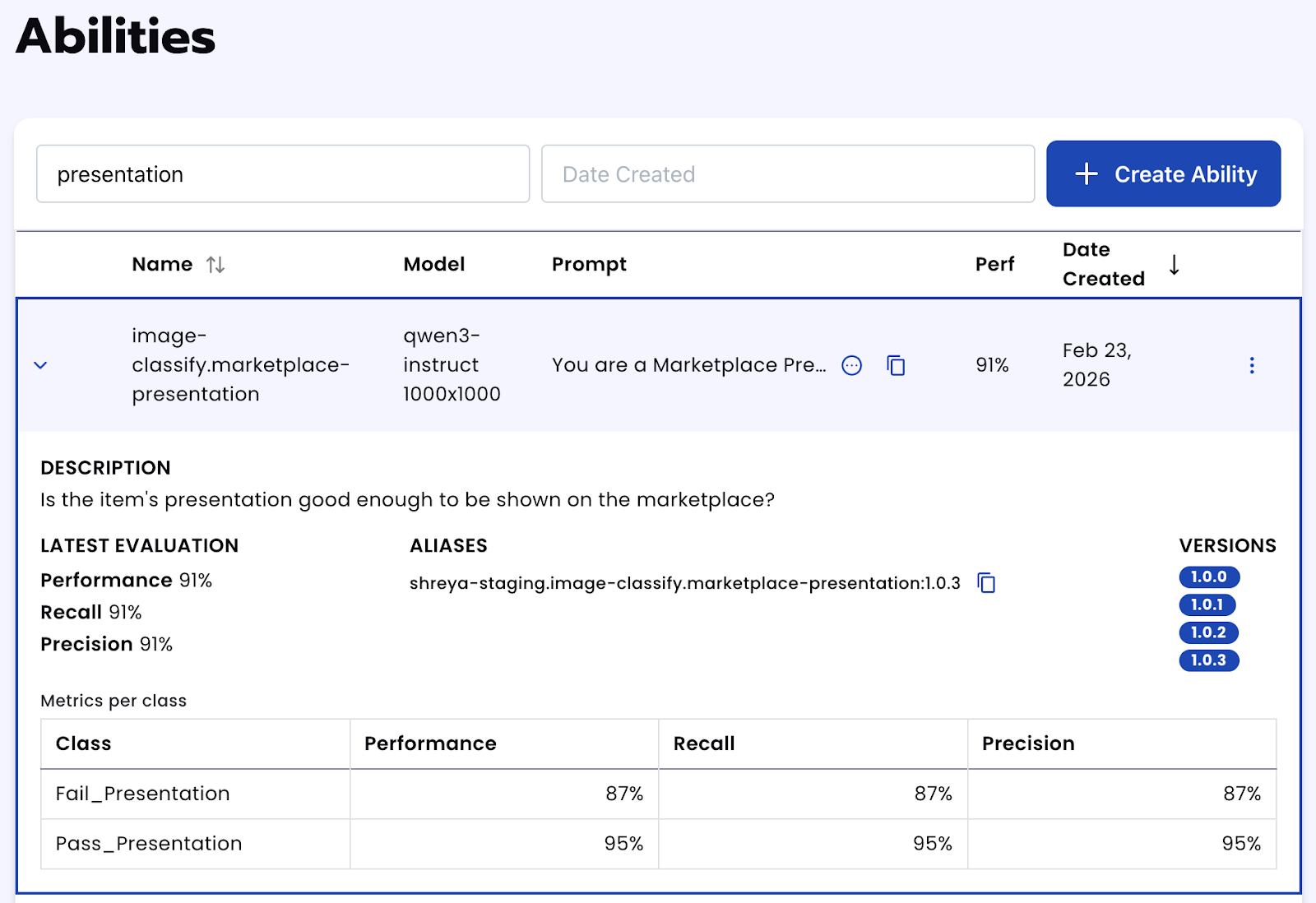
All evaluations can be reviewed in the Abilities tab by clicking the dropdown arrow next to the associated ability-alias. Evaluations can take around 15-20 minutes to complete based on the size of the dataset. Get early access to Abilities here >
Tips for Accuracy
1. Define "Edge Cases"
The key to high accuracy is a deep understanding of your specific acceptance criteria. In a marketplace context, the line between "acceptable" and "rejected" can be thin. You must be explicitly clear about where that line is drawn.
Don't just say "Reject blurry images." Instead, specify: "Reject images where the main logo or text is unreadable due to blur, but accept images with soft backgrounds."
Review your "maybe" pile. If you are hesitant about an image, the model will be too. Write a specific rule for that scenario.
2. Cover Every Failure Mode
A robust dataset is more important than a large one. Ensure your validation set includes examples of every specific reason for rejection you listed in your prompt.
3. Experiment with Image Resolution
Don’t assume that the highest resolution always yields the best results. Providing images that are too large can sometimes reduce accuracy by causing the model to focus on irrelevant fine details (like dust specks or fabric weave) rather than the overall subject or composition.
Get early access
Want to move faster with visual automation? Request early access to Abilities and get notified as new vision capabilities roll out.